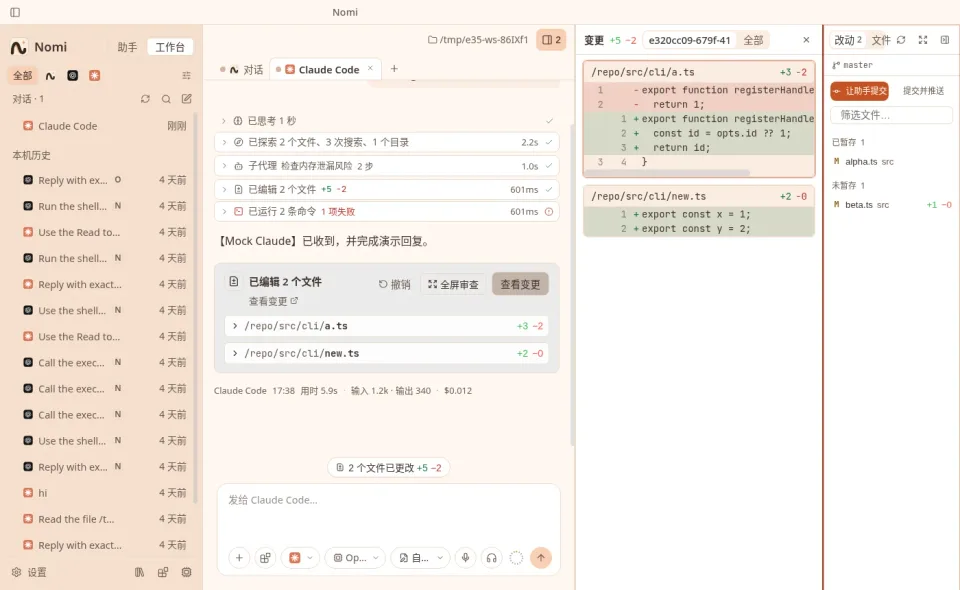
nomi-ai developer / publisher · official screenshot · View original source ↗
nomi-ai
Nomi·诺米 — 你的桌面 AI 伙伴:住在桌面,懂你所想,帮你做到。Local-first desktop AI companion (Electron + Vercel AI SDK) with a 2D/3D mascot.
Nomi·诺米 — 你的桌面 AI 伙伴:住在桌面,懂你所想,帮你做到。Local-first desktop AI companion (Electron + Vercel AI SDK) with a 2D/3D mascot.
Visit official source ↗Source reviewed 2026-10-25. Check the developer’s current requirements.Meet nomi-ai
你的桌面 AI 伙伴 —— 住在桌面,懂你所想,帮你做到。 Your desktop AI companion — lives on your desktop, gets what you mean, and gets it done.
官网 / Website · 下载 / Download · 功能 / Features · 文档 / Docs · 更新日志 / Changelog · 隐私 / Privacy
微信扫码添加作者,或加入 Nomi 用户交流群。Scan with WeChat to add the author or join the Nomi user group.
What you can do
Nomi·诺米 is a desktop AI companion that runs on your computer
an animated, talking Nomi plus a clean chat window. Connect the cloud models you already like, or go fully offline with local models. Nomi remembers you, can nudge you with reminders, and helps with files, your screen, and your calendar.
Getting started
前往 GitHub Releases 页面,按你的系统下载对应安装包(macOS 按芯片选 .dmg,Windows 选 .exe,Linux 选 .AppImage),安装即用。文件名里的 <版本号> 即 Release 的版本号。
💡 macOS 提示「已损坏」或无法打开? 当前安装包尚未经过 Apple 公证(notarize),Gatekeeper 可能拦截从网上下载的应用。先把 Nomi 拖到「应用程序」,再在终端执行:
💡 Windows 弹出 SmartScreen? 当前安装包尚未做代码签名,确认下载来源是本仓库 Releases 后,点「更多信息 → 仍要运行」即可。
Install and open Nomi; follow onboarding for language, theme, and character.
Things to know
- Chat, memory, knowledge base, and schedule stay on this machine; export all local data in one click
- Optional “local models only” so sensitive content never leaves for the cloud
Will it fit your setup?
Desktop Pets details
- Lives on
- Not confirmed
- Click-through
- Not confirmed
- Measured RAM
- Not measured
Before you bring them home
Collected automatically from the linked source. Category, compatibility, technical claims, and media require editorial review.
Unknown specifications are marked as not confirmed. Review the developer’s requirements, privacy terms, and current pricing before choosing your companion.
Suggest a correction →