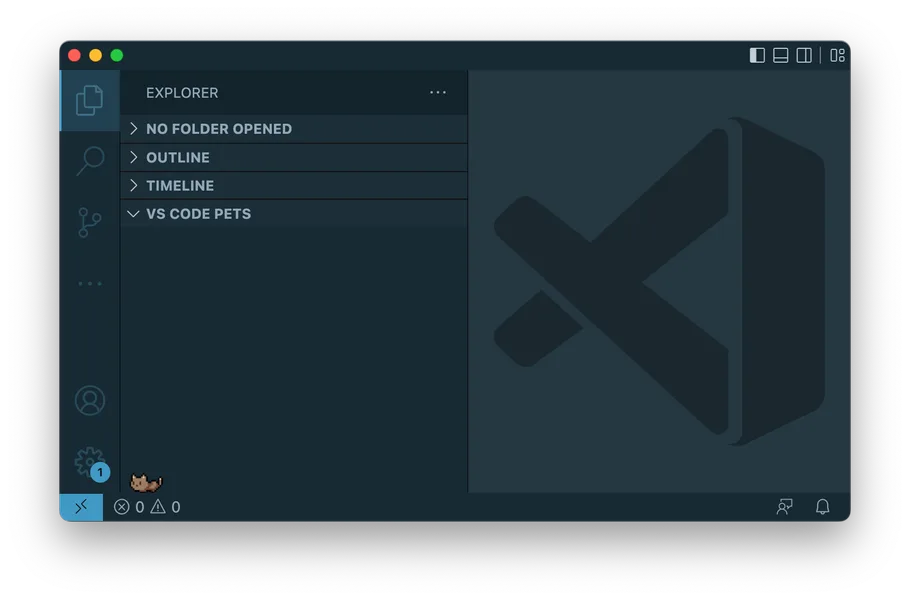
VS Code Pets contributors · repository screenshot · View original source ↗
VS Code Pets
A tiny playground inside your editor.
Add playful pets to a VS Code panel, throw a ball, and keep a small companion beside your code.
Visit official source ↗Source reviewed 2026-10-25. Check the developer’s current requirements.Meet VS Code Pets
VS Code Pets creates a small playground inside your editor. Pixel characters live in a pet panel while you continue working on your project.
The extension focuses on simple companionship and interaction within VS Code.
What you can do
Pick a character
The project includes animals and familiar mascots such as Clippy.
Play fetch
Throw a ball and watch the pets interact with it.
Keep it in the editor
The pet session runs in the extension’s panel rather than across your desktop.
A good fit if you…
- You spend time in VS Code and want a playful corner inside the same workspace.
Getting started
Install VS Code Pets from the VS Code Marketplace.
Open the Command Palette and run “Start pet coding session”; consult the extension documentation for further controls.
Things to know
- This listing covers the VS Code extension. Its resource use has not been independently measured.
Will it fit your setup?
Desktop Pets details
- Lives on
- VS Code / IDE
- Click-through
- Not confirmed
- Measured RAM
- Not measured
Before you bring them home
Requires VS Code. Its pets live inside an editor panel rather than across the operating system.
Unknown specifications are marked as not confirmed. Review the developer’s requirements, privacy terms, and current pricing before choosing your companion.
Suggest a correction →